Public FAQ
Frequently asked questions
Clear answers about where Orvoca is available, how capture works, and who it is built for.
Getting started
8GeneralWhat is Orvoca?
Orvoca helps you keep words worth seeing again without breaking your reading flow.
Send a word from the web, Chrome Extension, iPhone/iPad, or Android to Inbox first. Check the meaning there, then save selected items to Vocabulary for review.
GeneralHow is Orvoca different from a dictionary or translator?
Dictionaries and translators solve the immediate meaning problem.
Orvoca focuses on what happens next: keeping the word in Inbox, checking it with its original context, and saving it to Vocabulary for later review.
GeneralCan I use Orvoca right now?
The public web and Chrome Extension flows are available now, and the Android app is distributed through Google Play.
The iPhone/iPad app and Safari Extension are publicly supported. On iOS, use Share → Orvoca or return to Orvoca and choose Save from the copied-text prompt.
AndroidIs Android supported?
Yes. The Android app is available on Google Play.
Select or share a word or sentence from another app, choose Orvoca in the Android share sheet, and confirm sentence words with Continue when prompted.
iPhone / iPadCan I use Orvoca on iPhone or iPad?
Yes. The iPhone/iPad app is publicly available through the App Store. It can send text from Share or confirm copied text before adding it to Inbox.
After installation, use Share → Orvoca or the copied-text Save prompt. Safari Extension requires iOS/iPadOS 16.4 or later and separate site permission.
GeneralIs Orvoca for exam prep?
Exam prep is not the primary use case.
Orvoca is built for people who read in another language and want to keep useful words from real articles, essays, books, and everyday pages, with the original reading context when available.
GeneralWho is Orvoca for?
Orvoca is for readers who hate losing good words while reading in a second language.
It is especially useful if you want vocabulary from real reading instead of disconnected word lists, and want to decide in Inbox what is worth keeping.
WebCan I add a word directly from the Web Console?
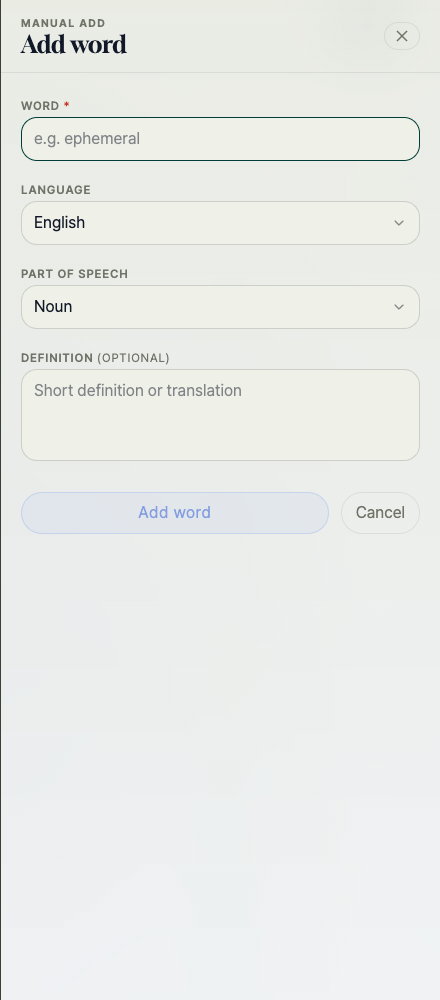
Yes. Open Vocabulary, choose Add word, and enter the word, language, part of speech, and meaning.
This path goes directly to Vocabulary instead of Inbox. No reading context or source URL is created automatically.
- Open Vocabulary.

- Choose Add word and enter the word details.
Collecting words
10GeneralDoes Orvoca run on every website?
No.
The Chrome Extension only captures on sites where Site capture is enabled and permission is allowed. The Web Console does not read or capture the current webpage by itself.
WebDoes the Web Console automatically capture words from the current page?
No. The Web Console manages Vocabulary and Inbox; it does not read the webpage automatically.
Use the Chrome Extension while reading on the web, then review the captured item in Inbox.
ChromeHow do I save a word from a webpage in Chrome?
While reading, select a word and choose Save to Orvoca from the button beside the selection.
The selected word goes to Inbox. When the setting and page allow it, Orvoca also keeps the surrounding sentence and a sanitized page URL.
- Drag across the word.
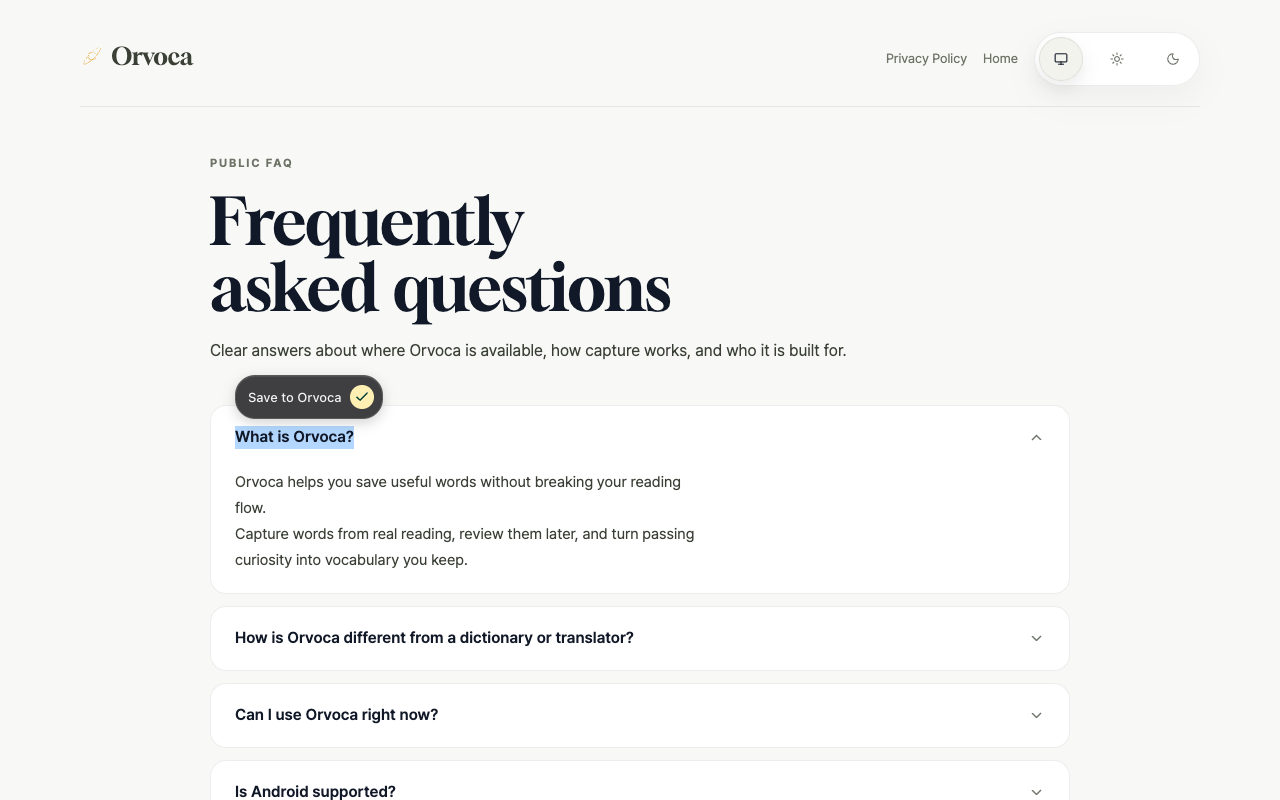
- Choose Save to Orvoca beside the selection.
- Open Inbox and choose Save after checking the meaning.
ChromeDoes copying text save it automatically in Chrome?
No. The Chrome Extension does not save text from Ctrl+C or a copy event by itself.
Select the text and choose Save to Orvoca, or use Add to Orvoca from the right-click menu, to send it to Inbox.
iPhone / iPadHow do I save a word from the Share menu on iPhone or iPad?
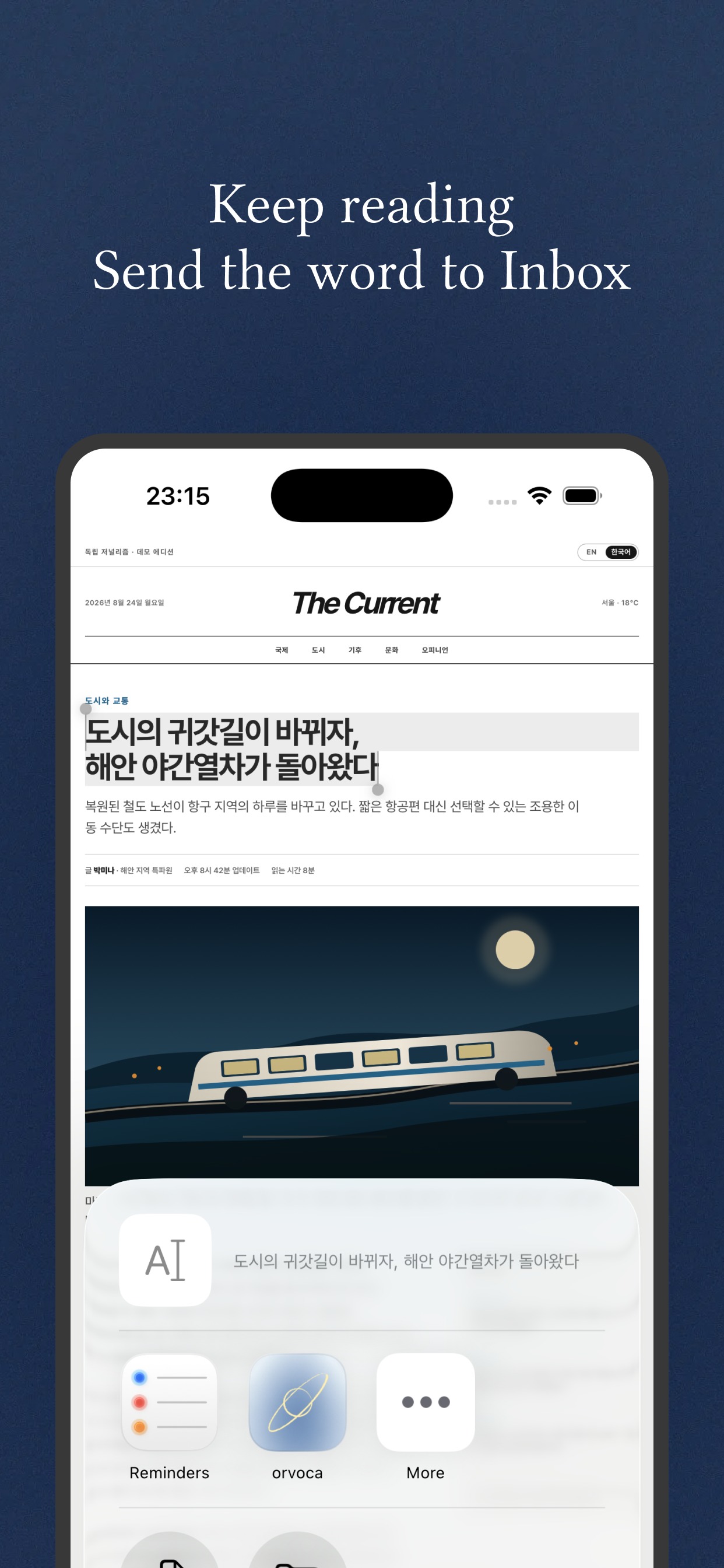
Select a word or sentence in another app, open Share, and choose Orvoca.
A shared word is saved as a word-only Inbox item. A shared sentence asks you to choose a word and Continue; without a word selection it remains a sentence item.
- Select text, open Share, choose Orvoca, then tap Continue for a sentence.
iPhone / iPadCan I save copied text on iPhone or iPad?
Copy the text in another app, return to Orvoca, and choose Save on the confirmation screen.
A copied word has no context or URL. For a copied sentence, choose a word and Continue to keep it with the original sentence; Cancel does not save it.
- Copy text, return to Orvoca, and choose Save.
iPhone / iPadCan I save a word directly from Safari?
On iOS/iPadOS 16.4 or later, enable Orvoca in Settings → Safari → Extensions and allow access to the site.
Select a word in Safari and choose Save to Orvoca. The Inbox item can include the word, surrounding sentence, and sanitized page URL; URL-only capture is not supported.
- Enable the extension, allow the site, then choose Save to Orvoca after selecting a word.
AndroidHow do I save a word on Android?
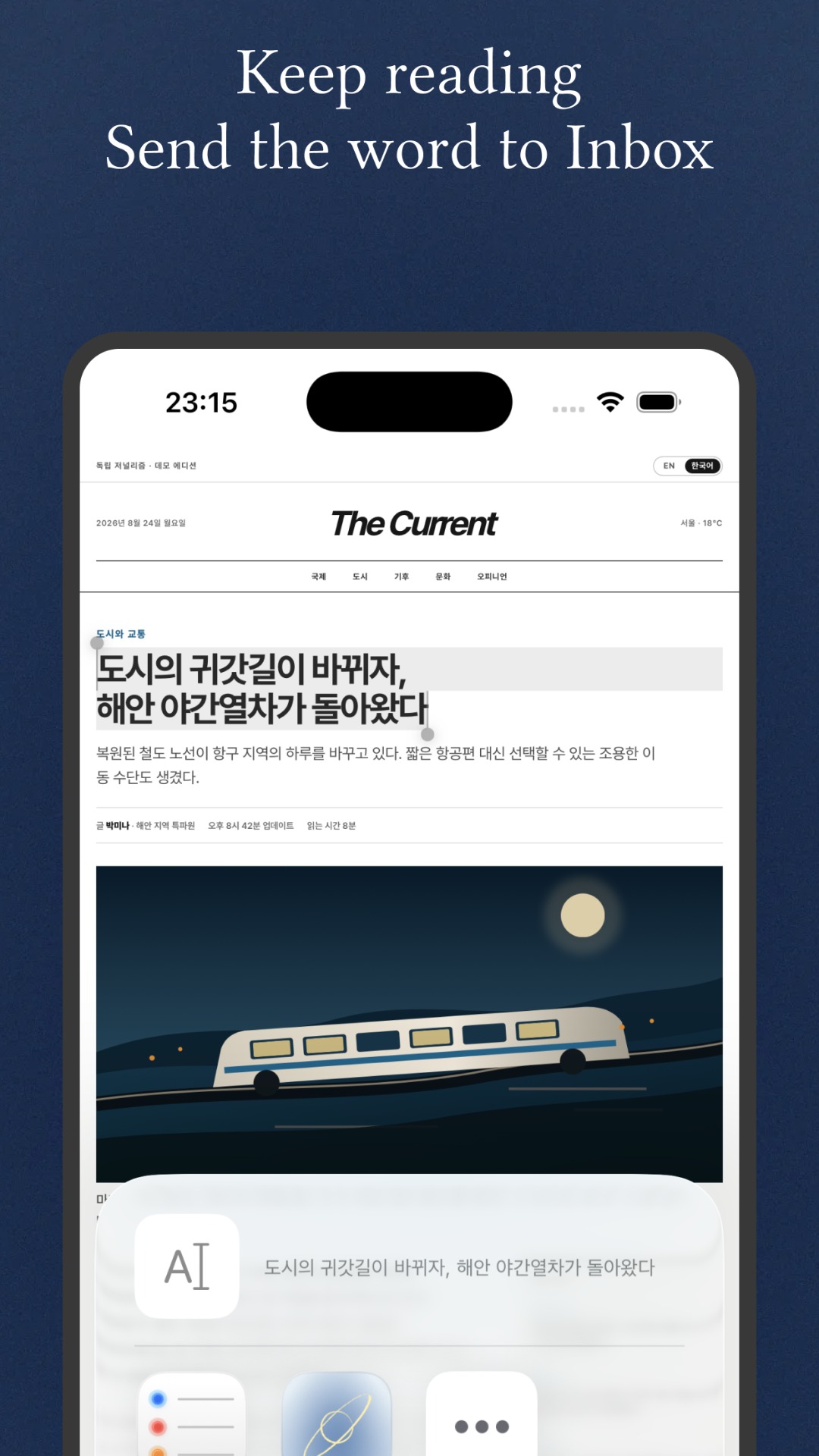
Select or share a word or sentence from another app, then choose Orvoca in the Android share sheet.
A shared word goes to Inbox. A shared sentence asks you to choose a word and tap Continue; the selected word and original sentence are saved. The normal share route generally has no page URL.
- Share text, choose Orvoca, then tap Continue for a sentence.
AndroidCan I save copied text on Android?
Copy the text, open or return to Orvoca, and choose Save on the confirmation screen.
A copied word has no context or URL. For a sentence, choose a word and Continue to save it with the original sentence. Orvoca does not silently save clipboard contents in the background.
- Copy text, open Orvoca, and choose Save.
Inbox & review
3GeneralDo captured words go straight into review?
Not by default.
Captured items first land in Inbox. Choose a meaning, use Edit if needed, and choose Save before the word enters Vocabulary; Skip or Reject leaves it out.
GeneralWhere do captured words go, and how do I add them to Vocabulary?
Items from Chrome, Safari, Share, and clipboard capture arrive in Inbox first.
Choose a meaning, use Edit if needed, and choose Save to add a word to Vocabulary. Sentence items need a word selection first.
- Open Inbox, choose a meaning or Edit, then choose Save.
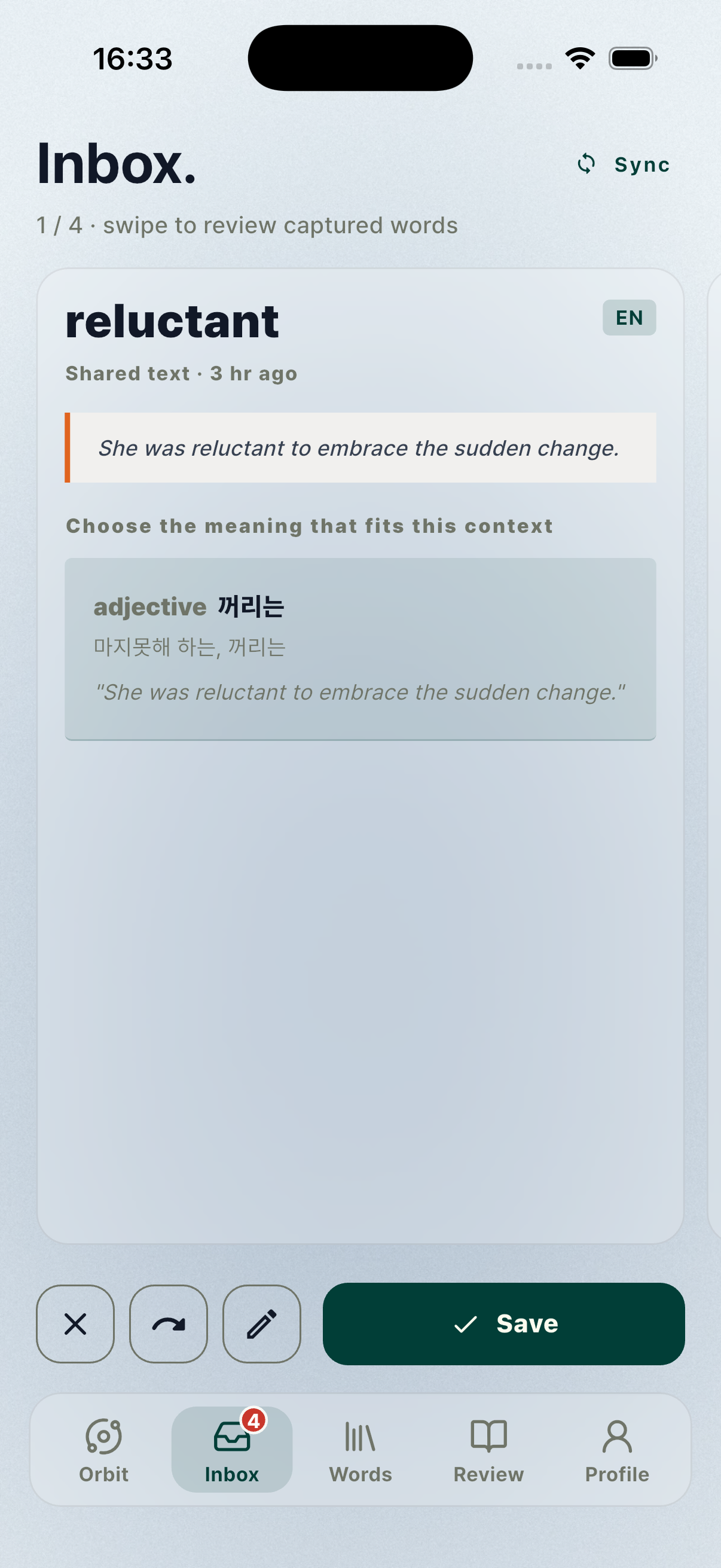
GeneralAre the original sentence and URL saved with a word?
Chrome selection capture and Safari Extension can keep the surrounding sentence and a sanitized page URL; Chrome right-click keeps the selected text and page URL.
A word sent through Share or clipboard may have no context or URL. Orvoca does not invent missing context or URLs.
Troubleshooting
3GeneralWhat should I check if a saved item is not in Inbox?
Check for the Saved to inbox confirmation, confirm that your account is connected, and verify site capture permission.
Mobile Share and clipboard captures may finish importing when you open Orvoca again. If you were offline, reconnect and refresh Inbox.
ChromeWhat if the Orvoca button does not appear in Chrome?
Open the Chrome Extension popup, check Site capture, choose Toggle site capture, and allow the requested site permission.
The button does not appear on browser internal pages, inside editable fields, or on sites without permission. Reload and select the word again.
GeneralAre there text or length limits?
Empty text, invalid capture text, and overly long input may be rejected. Ordinary capture input is limited to 500 characters.
A full sentence is not automatically stored as a vocabulary word; choose the word to learn. Inbox also has a capacity limit.
Install
How to use Orvoca on the web, Chrome, Android, and iPhone/iPad
Create an account, then follow the capture steps for your platform.